Skip to product information
1 of 8
Fast Shipping
Fast Shipping Ships within 24–48 hours
Easy Returns
Easy Returns 30-day hassle-free return
Secure Payment
Secure Payment 100% protected checkout
Customer Support
Customer Support We are here to help

Rugged 4G LTE Mobile Router | WiFi 6 | 150Mbps | eSIM Supported

Rugged 4G LTE Mobile Router | WiFi 6 | 150Mbps | eSIM Supported

Key Features:

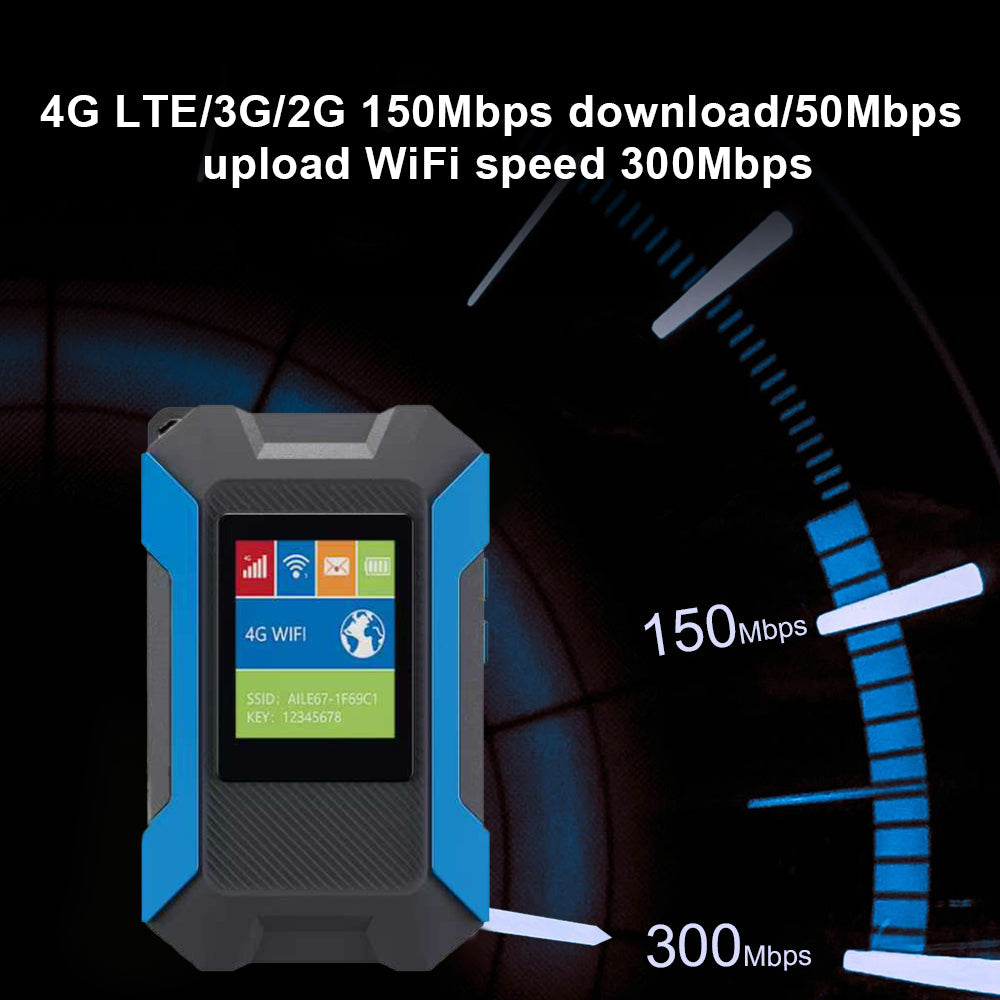
  • WiFi 6 & Dual Chips: Stable, ultra-fast 150Mbps connection.
  • eSIM Supported: No physical card needed; instant global roaming.
  • Rugged 3-Proof Design: Water/shock resistant & hangable for outdoors.
  • 1.4" Color Display: Real-time data, signal, and battery at a glance.
  • All-Day Power: High-capacity battery with Type-C fast charging.
Package
Regular price $79.99 USD
Regular price Sale price $79.99 USD
Sale Sold out
Shipping calculated at checkout.
Quantity
  • American Express
  • Apple Pay
  • Bancontact
  • Google Pay
  • Mastercard
  • PayPal
  • Shop Pay
  • Union Pay
  • Visa
View full details

Karbor MF832 Router

Experience fast, reliable wireless connectivity anywhere

MF511-5G Portable WiFi

Karbor MF832

  • WiFi 6 Dual-Chip:ZX297520V3 + AIC8800DW for stable, ultra-fast 150Mbps speeds.
  • eSIM & Physical SIM:Enjoy instant internet without a physical card; dual-mode flexibility.
  • Rugged 3-Proof Build: Durable, hangable, and shock-resistant—perfect for outdoor use.
  • 1.4" Smart Color LCD: Sleek design with real-time status, battery, and data tracking.

Fast & Reliable

More Than Just Speed

🚀

150Mbps

transmission rate

📡

WiFi 6

Lower Latency & Stability

🔋

4000mAh

All-Day Battery Life

👥

Up to 10 Devices

Share with Family & Friends

Technical Specs

Model No:
MF832
Support network:

4G LTE: B1/2/3/5/7/8/28(20)/38/40/41 or B2/4/5/7/28(20)/66/38/40/41 optional

WCDMA: Band 1/2/3/4/5/8 optional

Chipset:

Wireless chipset: Qualcomm SDX12

WiFi chipset: AIC8800DW

LTE CAT4:
150Mbps DL, 50Mbps UL,
WiFi:
WIFI6 2.4GHz, 802.11b/g/n/ax
MIMO:
WIFI MIMO 11, LTE MIMO 22
Battery:
Li-on 4000mAh
USB Port:
Type-C
WiFi Max Client:
Up to 10 connected users
SIM Slot:

Standard 6 PIN SIM card interface, 3V SIM card and 1.8V SIM card/ ESIM

Support:
TR069/Fota/SMS/USSD/Phonebook/DDNS/DMZ/Port Forwarding/Port Mapping
LCD Screen:
1.44inch LCD 128*128
Size:
100*60*23mm
Cloud SIM

Global Business: Seamless eSIM Roaming

Travel smarter with built-in eSIM technology. Get instant internet access the moment you land, eliminating the need to search for local SIM cards or deal with physical swaps during international business trips.

Portable Design

Outdoor Ready: Rugged & Hangable Design

Built for the wild with a 3-proof (water/shock/dust) structure. The integrated hanging hole allows you to clip it onto your backpack, providing a stable WiFi signal even in the most demanding hiking or camping environments.

Multi Device

Team Collaboration: WiFi 6 Multi-Device Sharing

Powered by WiFi 6, the MF832 supports multiple devices simultaneously without lag. It is the perfect hub for outdoor team meetings or family road trips, ensuring everyone stays connected at high speeds.

Battery Life

Smart Monitoring: All-Day Power & LCD Status

Stay informed with the 1.4" color display that tracks data usage and battery life in real-time. Combined with a high-capacity battery, it ensures you stay online from dawn to dusk without "low battery" anxiety.

Let's Answer Your Questions

Why does the device says "No Service" even bought a data plan?

Please allow ​​10-30 minutes​​ for the system to activate your data plan after purchase. Your connection will update automatically.

How do I get 1GB global data free?

1. Download “Karbor WiFi" APP, create account, add device to your App account

2. Click User > Device Manage > Claim, enter your order id, including dashes and no spaces

Where do i find the WiFi password? How do i change the WiFi password?

Following locations:

​​1. On the LCD screen​​ after turn it on 2. ​​Inside the back cover​​ (remove cover)

Change WiFi password:

Download App→Create acocunt→Add device→Back to Home→Click WiFi Settings(Note:New password must be at least 8 characters)

How do I buy a data plan?

Way 1: Download App→Create acocunt→Add device→Click Shop→Buy Data Plans

Way 2: Find the code on device back cover → Scan it with phone's nature camera→Buy Data Plans

Note: Payment can be made via credit card or PAYPAL only.

How do I connect to WiFi Network? (Please Note: Internet access requires an active data plan.

Way 1: ​​Remove device back cover→Find the code inside→Scan it with phone's nature camera→Enter Password→Connect

Way 2: Download App→Create acocunt→ Add device→Connect WiFi

Way 3: Settings→WiFi →Select Hotspot WiFi Name→Enter Password→Connect