7d Delivery
Skip to product information
1 of 7
Fast Shipping
Fast Shipping Ships within 24–48 hours
Easy Returns
Easy Returns 30-day hassle-free return
Secure Payment
Secure Payment 100% protected checkout
Customer Support
Customer Support We are here to help

5G WiFi 6 Portable Hotspot

5G WiFi 6 Portable Hotspot

Key Features:

  • 2.7Gbps Speed – Ultra-fast 5G for lag-free performance.
  • Global Roaming – Secure connection in 80+ countries.
  • 12H Battery – 5000mAh power for all-day usage.
  • 16 Devices – Share high-speed Wi-Fi with everyone.
  • Pocket Size – Compact, plug-and-play design.
Package
Regular price $179.99 USD
Regular price $199.99 USD Sale price $179.99 USD
Sale Sold out
Shipping calculated at checkout.
Quantity
  • American Express
  • Apple Pay
  • Bancontact
  • Google Pay
  • Mastercard
  • PayPal
  • Shop Pay
  • Union Pay
  • Visa
View full details

MF511-5G Portable WiFi

Experience fast, reliable wireless connectivity anywhere

MF511-5G Portable WiFi

Flagship Performance & Ultimate Efficiency

  • Powerful Dual-Chipset Architecture: Equipped with the MediaTek MT6833 (Dimensity 700) 5G chipset and MT6631 Wi-Fi chipset, ensuring a rock-solid signal and reliable security for all your data.
  • 7nm Process: 28% Better Efficiency: Built on advanced 7nm technology, reducing power consumption by 28% compared to 8nm chips. Enjoy high-speed performance without the heat or battery drain..
  • Octa-Core Power (2.2GHz): Features an 8-core CPU with dual Arm Cortex-A76 cores. Experience lightning-fast responsiveness and smooth multitasking for work or play..
  • High-Speed LPDDR4X + UFS 2.2: High-frequency memory and UFS 2.2 storage deliver instant data transfers. Stream 4K video, game, or handle large files with zero lag.

Fast & Reliable

More Than Just Speed

🚀

2.7Gbps Speed

Peak Download Speed

📡

WiFi 6

Lower Latency & Stability

🔋

5000mAh

12H Battery Life

👥

Up to 16 Devices

Share with Family & Friends

Technical Specs

OS:
Android 11
Memory:
2GB NAND Flash+8GB LPDDR4
Chip Platform:

MTK6877+MTK6190
Routing and WiFi chipset model: MT6635X

Support Bands:

5G NR: N1/N3/N5/N7/N8/N20/N28/N26/N66/N38/N40/N41/N48/N77/N78/N79

LTE: B1/3/5/7/8/20/28/32/38/46/11/18/19/21/26/34/39/40/41/42/48/71
B1/2/5/8

Battery:
Li-ion 5000mAh
Wi-Fi Standard:
802.11 b/g/n/ac/ax(2*2) MIMO
WiFi Max Client Number:
16
MIMO for WiFi:

2.4G 802.11.b/g/n MIMO 2*2
5G 802.11.ac ax MIMO 2*2

MIMO for Wireless:

LTE MHB DL 2*2 MIMO
LTE LB DL 2*2 MIMO
LTE LMHB 1*1 SISO
5G NR MHB DL 4*4 MIMO
5G NR LB DL 2*2 MIMO
5G NR UL 1*1 MIMO

Wireless rate:

5G NR DL: 2.77Gbps (4*4 MIMO, 256QAM)
5G NR UL: 1.25Gbps (1*1 MIMO, 256QAM)
LTE: DL: UP to 1.2Gbps, UL: 150Mbps

Support:
TR069 & FOTA Update/IPv4/IPv6/Data Statistics/SNTP/DMZ/Port Mapping/Mac/IP Address Filter/Port Forwarding
LCD Screen:
2.4 inch LCD 240*320
Size:

130*70*21.5mm


Cloud SIM

Ultra Fast 5G

Download speeds up to 2.7Gbps. Actual speed depends on network conditions.

Portable Design

Dual-Band WiFi

Supports both 2.4GHz and 5GHz for stable multi-device connections.

Multi Device

Long Battery Life

Up to 12 hours on 5G or 16 hours on 4G usage.

Battery Life

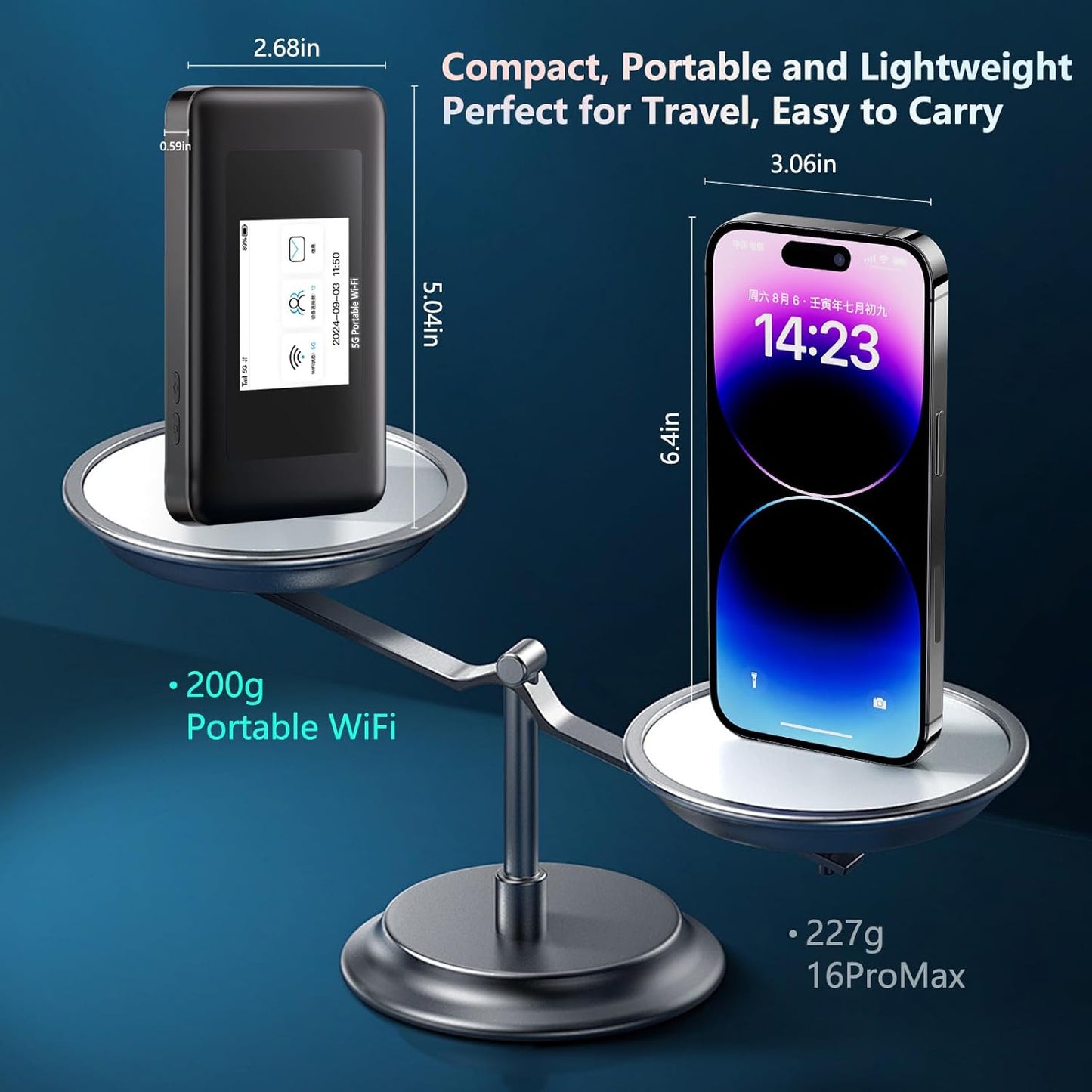
Compact & Lightweight

Only 200g — smaller than a smartphone, ideal for travel.


Let's Answer Your Questions

Why does the device says "No Service" even bought a data plan?

Please allow ​​10-30 minutes​​ for the system to activate your data plan after purchase. Your connection will update automatically.

How do I get 1GB global data free?

1. Download “Karbor WiFi" APP, create account, add device to your App account

2. Click User > Device Manage > Claim, enter your order id, including dashes and no spaces

Where do i find the WiFi password? How do i change the WiFi password?

Following locations:

​​1. On the LCD screen​​ after turn it on 2. ​​Inside the back cover​​ (remove cover)

Change WiFi password:

Download App→Create acocunt→Add device→Back to Home→Click WiFi Settings(Note:New password must be at least 8 characters)

How do I buy a data plan?

Way 1: Download App→Create acocunt→Add device→Click Shop→Buy Data Plans

Way 2: Find the code on device back cover → Scan it with phone's nature camera→Buy Data Plans

Note: Payment can be made via credit card or PAYPAL only.

How do I connect to WiFi Network? (Please Note: Internet access requires an active data plan.

Way 1: ​​Remove device back cover→Find the code inside→Scan it with phone's nature camera→Enter Password→Connect

Way 2: Download App→Create acocunt→ Add device→Connect WiFi

Way 3: Settings→WiFi →Select Hotspot WiFi Name→Enter Password→Connect